
Article
Migrating an email account from Gmail or Google Workspace to IMAP on a server using IMAPSync
Published on
I do not know whether you are familiar with the programme called IMAPSync. This programme lets you migrate email accounts between servers and is very useful when you want to move all the information from one server to another without losing any email. In other words, the programme copies all emails from one server to another. We use it a lot with our clients.
Migrating email from one server to another, IMAP to IMAP
We usually follow this procedure:
- The email accounts are created on the new server
- All emails are synchronised using IMAPSync (this can take hours or even days depending on the mailbox size and the server speed/limits)
- The DNS records (A and MX) are changed so they point to the new server
- IMAPSync is run again 24 hours after propagation to avoid losing any email that may have arrived on the old server.
The command we use to migrate from one IMAP account to another is the following:
imapsync --host1 "mail.oldserver.com" -user1 name@domain.com --password1 'password' --ssl1 --host2 "mail.newserver.com" --user2 name@domain.com --password2 'password' --ssl2
Migrating email from Gmail to IMAP
When we migrate from IMAP to IMAP it does not usually cause any problems, but when trying to migrate from Google or Gmail we may find that we cannot log in, with a message very similar to this:
Err 1/1: Host1 failure: Error login on [imap.gmail.com] with user [user@domain.com] auth [LOGIN]: 2 NO [AUTHENTICATIONFAILED] Invalid credentials (Failure)
Here are the steps to fix it:
Enable IMAP access in Gmail
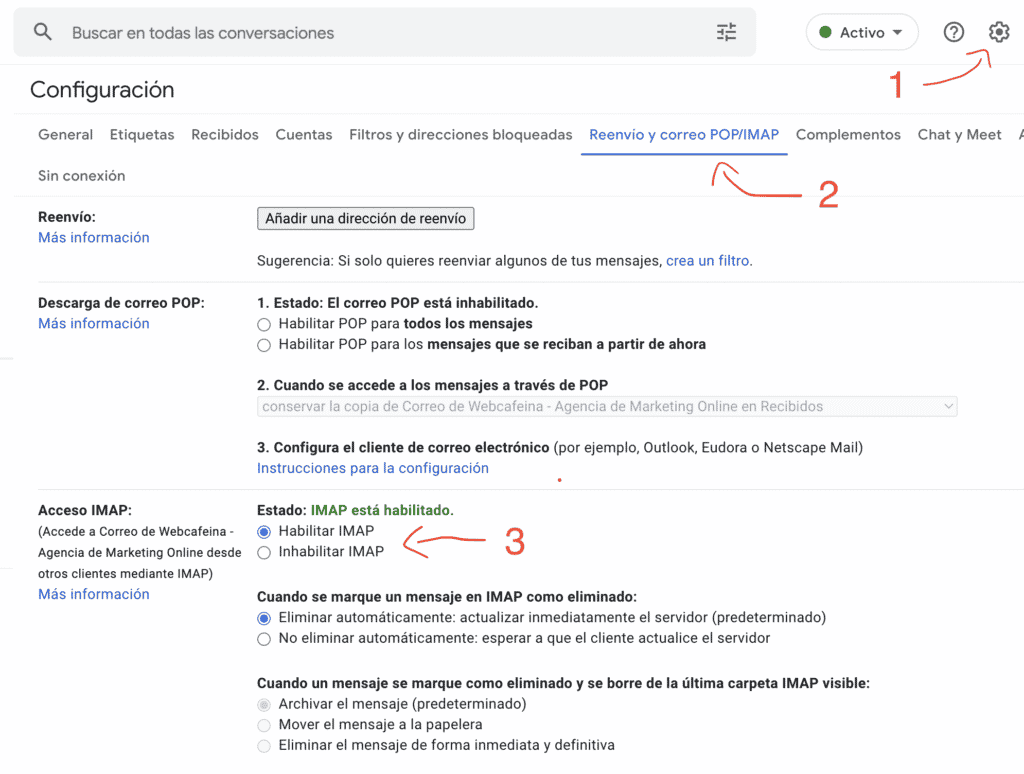
First, go to the Gmail account (the one we want to migrate), click Settings, then Forwarding and POP/IMAP, and finally Enable IMAP. Do not forget to click the Save Changes button once you have done everything.
Enable access for less secure apps
If we do not enable this option, Google's security measures will prevent us from connecting to our Gmail account.
To do this we need to go to Security in our account
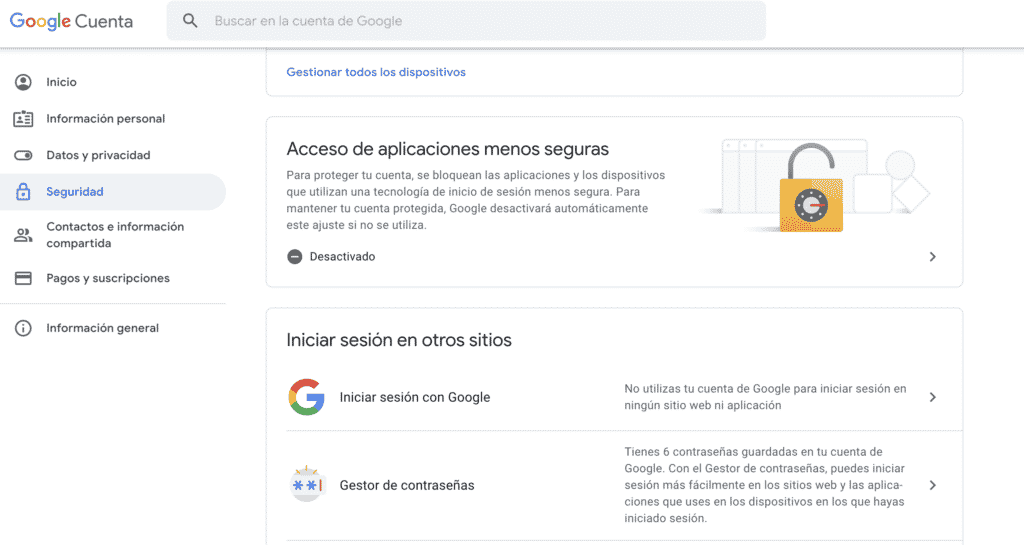
Inside the options, choose Less secure app access and enable this option
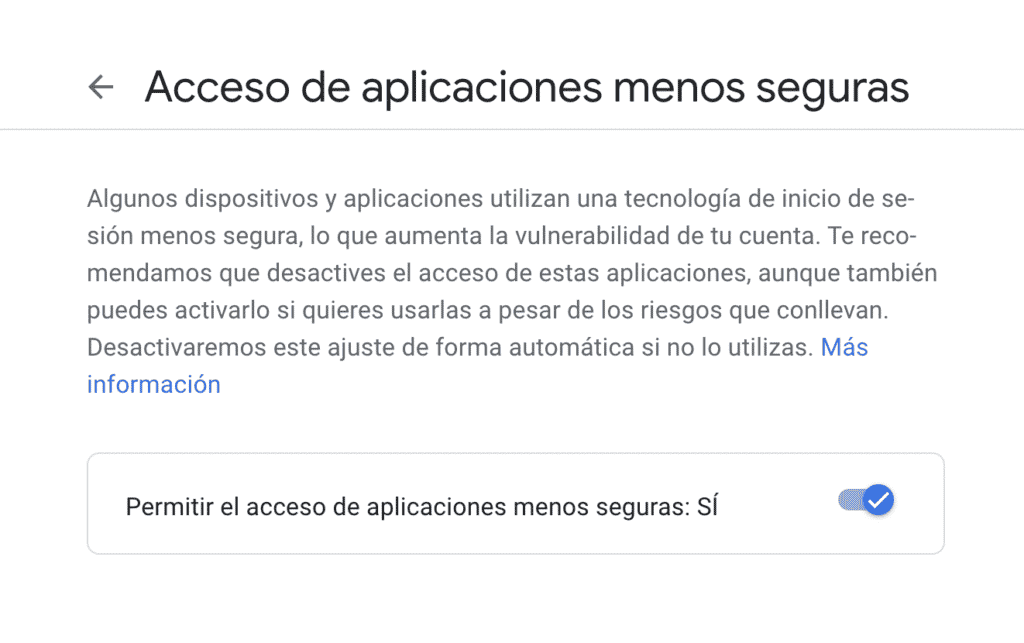
Done. We can now use IMAPSync to synchronise our email account.
imapsync --host1 imap.gmail.com -user1 user@gmail.com --password1 "password" --ssl1 --gmail1 --host2 "mail.newserver.com" --user2 user@newserver.com --password2 "password" --ssl2 --useheader Message-ID